|
Symbol Library - Tech Symbols
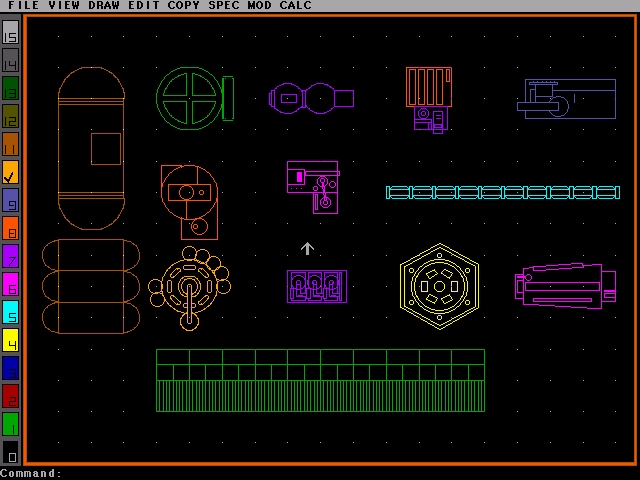
This symbol library contains commonly used images depicting various items of equipment, such as warp plasma conduits, computers, tanks, etc. |
 |
Symbol Library - Consoles
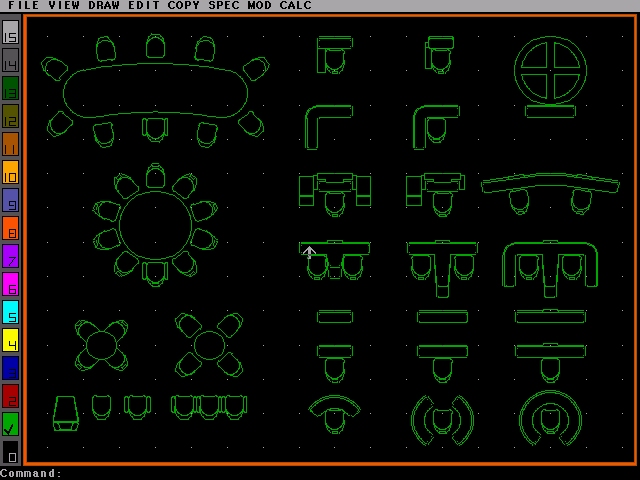
This library contains several types of consoles and seats in a number of configurations and patterns. |
 |
Completed Deck Plan
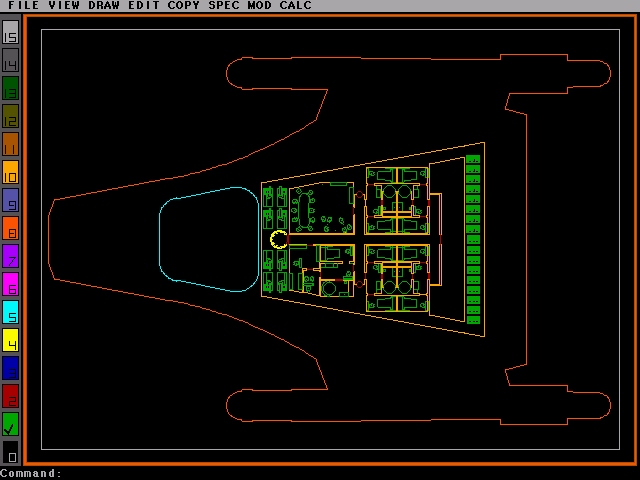
Here the deck plan has been drawn. The various colours let me know at a glance what type of components are included. The hull is orange, interior walls are amber, equipment and furniture are green and doors are red.
|
 |
Deck Plan Closeup
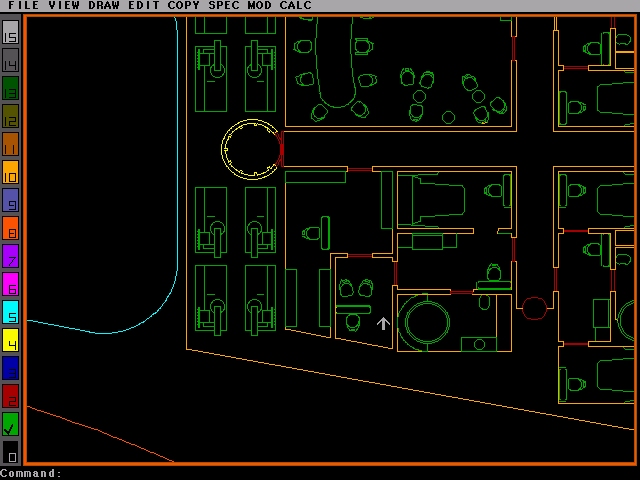
This image gives a closer look at the components of the deck plan.
|
 |
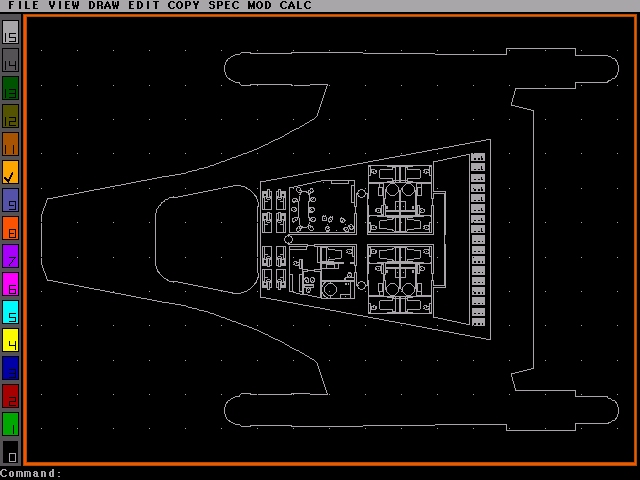
Black and White CAD Deck Plan
The deck plan, once completed is converted to black and white, then saved as a .DXF file.
|
 |
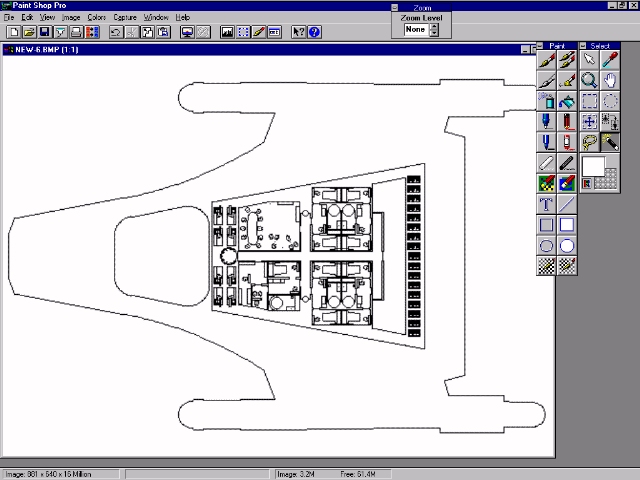
Image Imported into Paint Shop Pro
The .DXF file in then imported into Paint Shop Pro as a bitmap, to be labelled and coloured.
|
 |
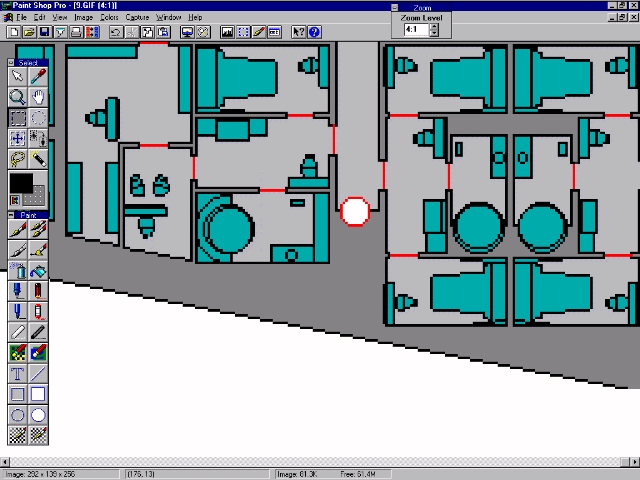
Colouring the Image
The pen tool is used to retouch any areas which are garbled, then the fill tool is used to drop colours into each area.
|
 |
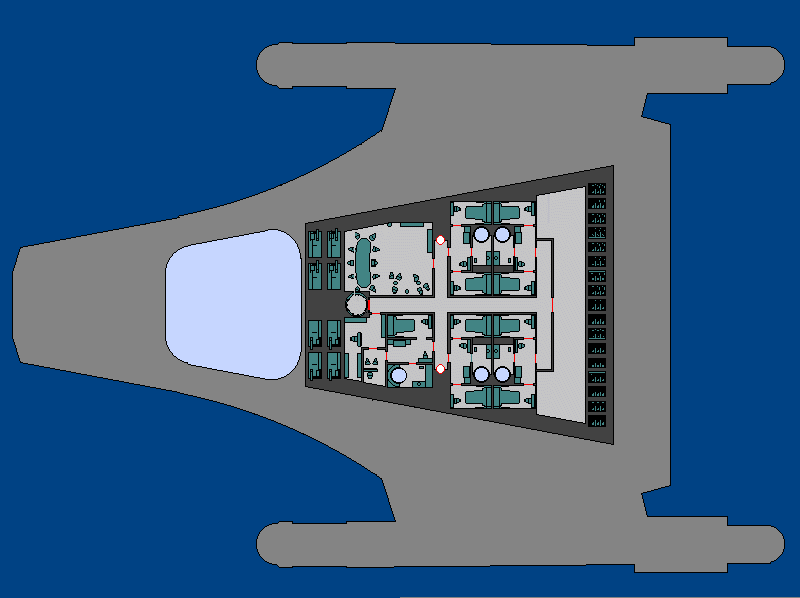
Basic Coloured Image
Here the image has been coloured. The colour scheme is as follows: background - blue; ship outline - medium grey; bulkheads - dark grey; decksole - light grey; doors and access panels - red; consoles, equipment and furniture - turquoise; matter/antimatter - pale green; shuttlecraft - bright blue.
|
 |
Finished Image
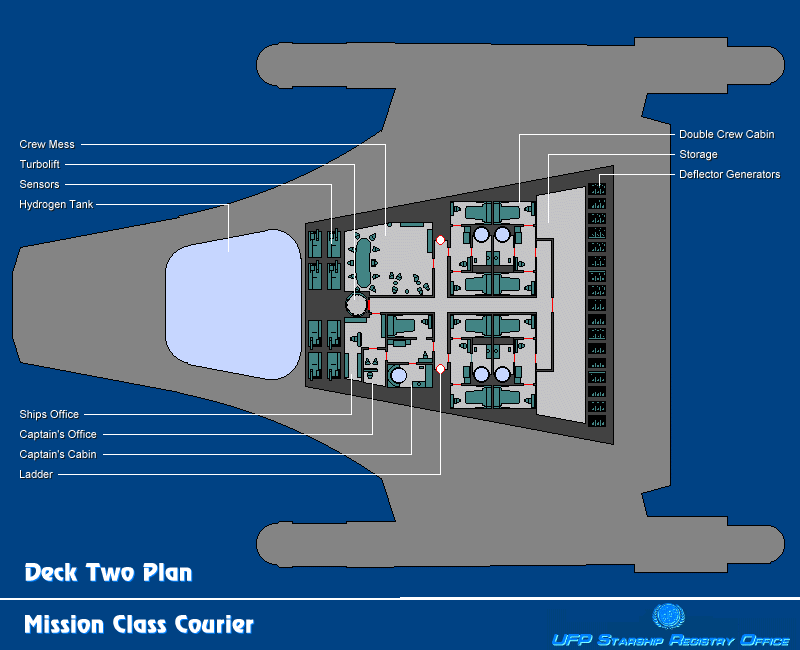
The lettering is laid over the coloured deck plan. Individual rooms are labelled, and titles are applied to the drawing. Finally, logos and other graphic elements are added to give the impression of an official plan.
|